Plan
Choose the action, source, filters, run target, 24-hour allowance and random delay range.
Flow34 by Zero34 Labs
Preview candidates, set your limits and manage account or post tasks from one browser side panel.
For desktop Chrome and Edge. Continue on your computer to install.
 Flow34 by Zero34 Labs
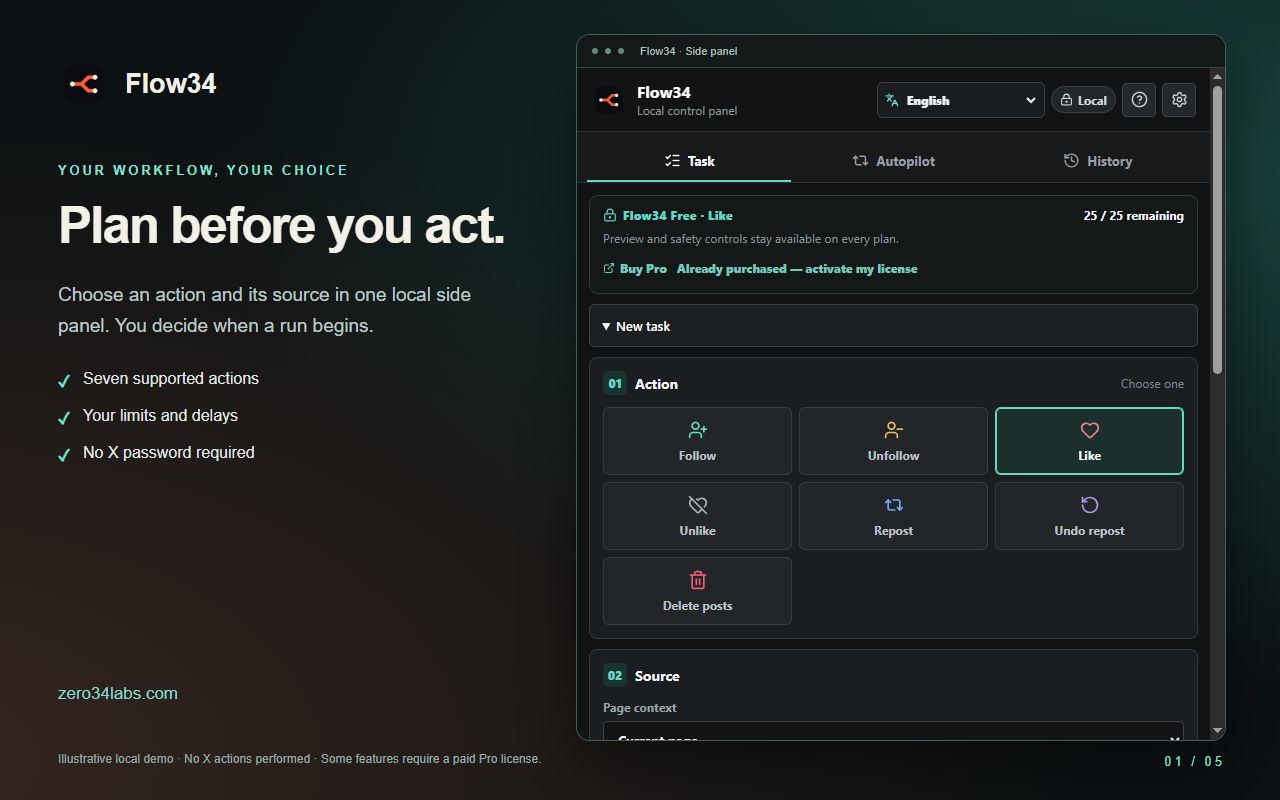
Flow34 is designed around inspection and control instead of invisible background activity.
Choose the action, source, filters, run target, 24-hour allowance and random delay range.
Run a dry check to see eligible and skipped items—including the reason for each skip—without changing X.
Start deliberately, watch live progress, pause when needed or cancel with a definite stop.
Use Flow34 only on accounts and content you are authorised to manage. Every live run is initiated by you from an open X session.
Review visible candidates and follow with explicit run and rolling limits.
Apply account filters, minimum-follow age and local protection history before acting.
Process visible posts sequentially with user-chosen limits and delays.
Run reversible repost workflows with route checks and visible progress.
Preview your own posts first, then use typed confirmation for a live deletion run.
Arrange supported actions into ordered, locally stored plans and eligible schedules.
Free and Pro change commercial allowances—not the core protections around a live workflow.
Choose the allowance that fits your work. Core safeguards are included in both plans.
$0
Install from your browser store. No payment required.
$4.99 / month
Sold through Whop. Already purchased? Activate Pro.
Subscriptions renew until cancelled. Taxes and the final total appear at checkout. Manage billing through My license.
Flow34 has Chrome and Edge store listings for desktop browsers. Mobile browsers and Firefox are not currently supported.
For desktop Chrome and Edge. Continue on your computer to install.
Use the official store links to check the currently available version. A submitted update is not a published release.
Independent product. Flow34 is not affiliated with, sponsored by or endorsed by X Corp. “For X” describes compatibility only.
No. Flow34 works inside your existing signed-in browser session and is not designed to collect your X password.
Core settings, jobs, audit records, quota records and protection memory are stored locally in browser extension storage.
Live workflows require a user-created job or plan. Interrupted browser work is not designed to resume silently.
No. Flow34 is independent and is not affiliated with, sponsored by or endorsed by X Corp.
Flow34 has Chrome and Edge store listings for desktop browsers. Mobile browsers and Firefox are not currently supported.
Choose a plan on the Flow34 page. Payment is handled through Whop; then activate your key in the extension.